
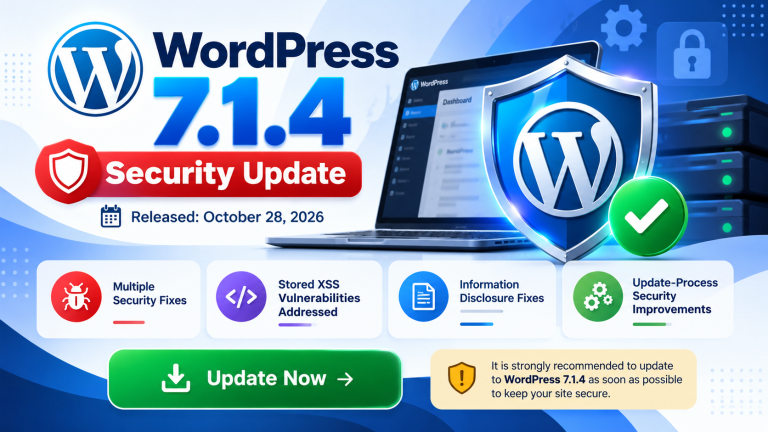
A recent WordPress security release, WordPress version 7.1.4, addresses 22 security vulnerabilities that could potentially put WordPress websites at risk.
These vulnerabilities include Stored Cross-Site Scripting (XSS) and issues in the WordPress update mechanism. If successfully exploited, attackers could potentially gain unauthorized access, inject malicious code, compromise website data or take control of an affected website.
Website owners and administrators are strongly advised to review their WordPress installations and arrange the necessary security updates without delay.
Why Should You Act Immediately?
Running an outdated WordPress installation can expose your website to known security threats.
Attackers may exploit publicly known vulnerabilities to compromise your website, disrupt its operations, inject malicious scripts or gain unauthorized access to your website and its data.
Keeping your WordPress software updated is an essential step towards maintaining website security and protecting your online presence.
Immediate Action Required
We strongly recommend contacting your web developer and arranging the following security measures:
1. Update WordPress Core
Update your WordPress installation to the latest security-patched version compatible with your website. Ensure that the appropriate security fixes are installed.
2. Update All Installed Themes and Plugins
Check all installed WordPress themes and plugins and update them to their latest secure versions. Remove any unused, outdated or unsupported plugins and themes.
3. Verify Website Functionality
After completing the updates, check that your website is functioning correctly. Verify important features, forms, login functionality and other website components.
4. Maintain Regular Backups
Ensure that regular backups of your complete website files and database are maintained. A recent backup can help restore your website if an update causes unexpected issues.
Important: Website Software Updates Are Your Responsibility
Maintaining and updating the software installed within your hosting account is the responsibility of the website owner or their appointed web developer.
While InterPole manages the hosting infrastructure and server-level security, maintaining WordPress core, themes, plugins and other website applications falls under your responsibility.
We strongly urge all website owners to coordinate with their web developers and ensure that the necessary security updates are completed immediately.
Please do not postpone these essential security updates.
Don’t Have a Web Developer? InterPole Can Help!
If you no longer have a web developer or do not have anyone responsible for maintaining your WordPress website, InterPole can help you keep your website updated, secure and properly maintained.
We offer WordPress Website Maintenance Plans to assist website owners with essential website maintenance requirements.
Our team can assist with:
- WordPress core updates and security patches.
- WordPress theme and plugin maintenance.
- Routine website maintenance.
To learn more about our WordPress Website Maintenance Plans or to discuss your website maintenance requirements, get in touch with our support team.
Contact InterPole
Email: support@interpole.net
Protect Your Website – Take Action Today!
Your website’s security requires attention at both the server and application levels. While server-level protection is important, keeping WordPress core, themes and plugins updated is equally essential.
Taking timely action can significantly reduce the risk of security incidents and help keep your website secure, stable and reliable.
Stay updated. Stay secure. Let InterPole help you maintain your WordPress website.